Article: How to build a disc golf simulator with HYZR One
How to build a disc golf simulator with HYZR One
The Ultimate Guide to Building Your Own Disc Golf Simulator
Tired of letting the weather decide when you can throw?
A disc golf simulator gives you a way to practice, play, and improve year-round. Whether you want to build a premium home setup, add a new attraction to your disc golf store, or create a commercial simulator venue, HYZR makes it possible.
In this guide, you will learn what you need to build a HYZR simulator, from room size and core hardware to projector, screen, discs, and software.
1. Start with the Right Space
The first step in building a great simulator is making sure you have enough room for a safe and natural throwing motion.
Disc golf throws need space. Ceiling height matters, room width matters, and total room length matters. A simulator should let the player throw comfortably while still leaving room for the screen, projector, and protection around the bay.
Minimum space requirements
- Width: 3 m / 10 ft
- Height: 2.5 m / 8.2 ft
- Length: 4 m / 13 ft
Recommended space for the best experience
- Width: 4 m / 13 ft
- Height: 3 m / 10 ft
- Length: 6 m / 20 ft
If you are building for business use, extra room also helps with customer flow, seating, safety, and the overall feel of the simulator bay.

2. Install the Core of the Simulator: HYZR One
At the center of every HYZR simulator is HYZR One.
HYZR One is a ceiling-mounted, camera-based launch monitor built specifically for disc golf simulation. It is optimized for indoor use and designed for permanent setups where quality, speed, and reliability matter. HYZR tracks the full 3D flight of the disc, including real-world launch position and horizontal launch angle, and provides eight key throw metrics: speed, spin, hyzer angle, nose angle, vertical launch angle, horizontal launch angle, wobble and launch position.
That is what makes the experience feel realistic.
HYZR does more than read the disc itself. It combines the throw data with the real physical space of the throw, including where the disc was launched, in what direction, and from what position. That is what allows HYZR to create a true 3D simulator experience instead of just basic throw data.
Built for permanent setups
HYZR runs locally and is built for long-term simulator use. Once installed, it operates autonomously, which is a major advantage for both home users and commercial operators. That also makes self-service concepts and even 24/7 simulator facilities possible with the right venue setup.
3. Add the Right Supporting Hardware
To get the full simulator experience, you need more than a launch monitor. A good setup also needs the right computer, projector, screen, and enclosure.
The computer
You need a computer to run HYZR software.
Minimum recommended specs
- Processor: Intel i5 or better
- Graphics card: Nvidia GTX 1080 or better
- RAM Memory: 16GB
HYZR software also works with M-series MacBooks, but for the most reliable performance in a permanent setup, a dedicated Windows PC is recommended.
The impact screen
A proper impact screen is one of the most important parts of the simulator. It needs to handle repeated throws while also giving you a clean image.
A high-quality screen improves both safety and immersion. It also makes the simulator feel much more like a finished product instead of a practice net with a projector.
The projector
A ceiling mounted short-throw projector is usually the best choice. It can sit closer to the screen, which helps reduce shadows and makes it easier to build a clean simulator bay in a limited space. We recommend at least 3000 Lumens of brightness and 1080p resolution.
The enclosure
A full enclosure is not strictly required, but it is strongly recommended.
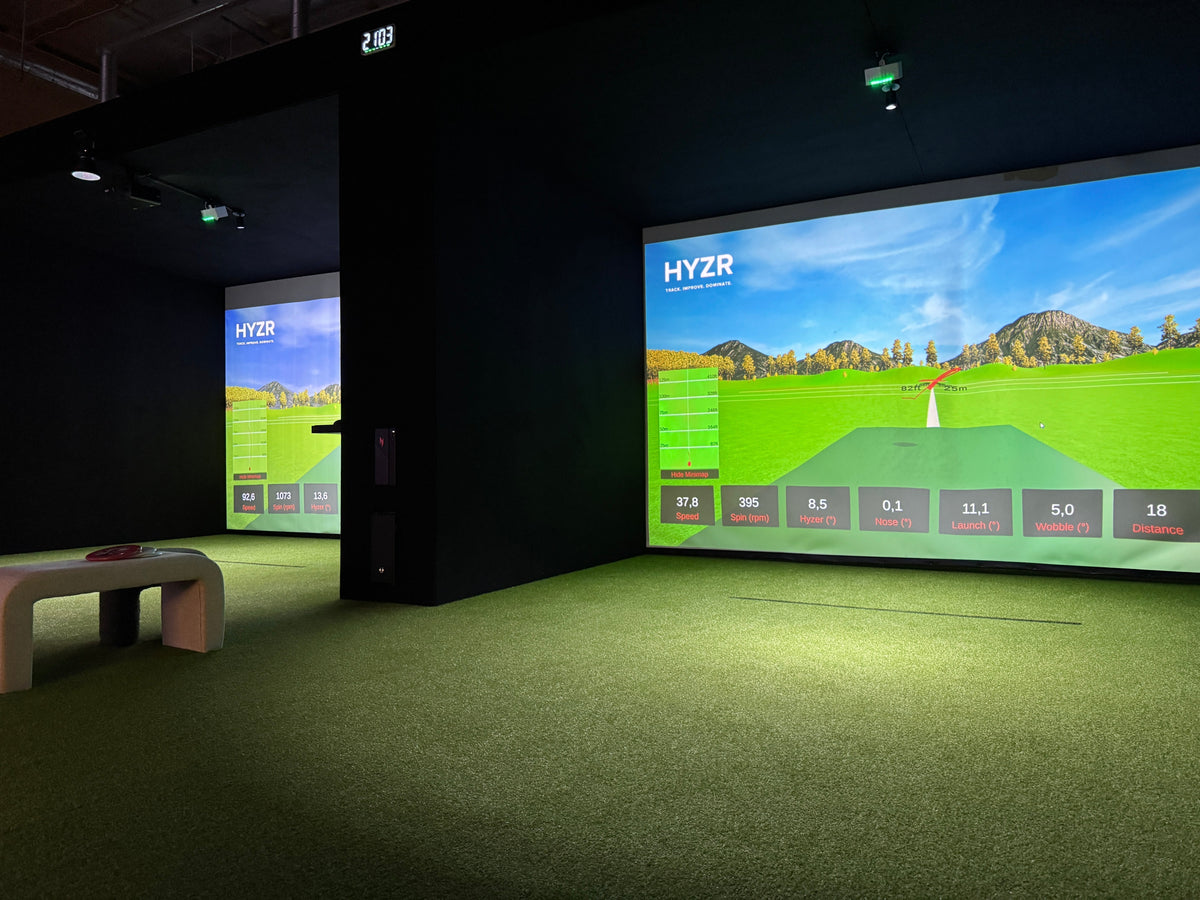
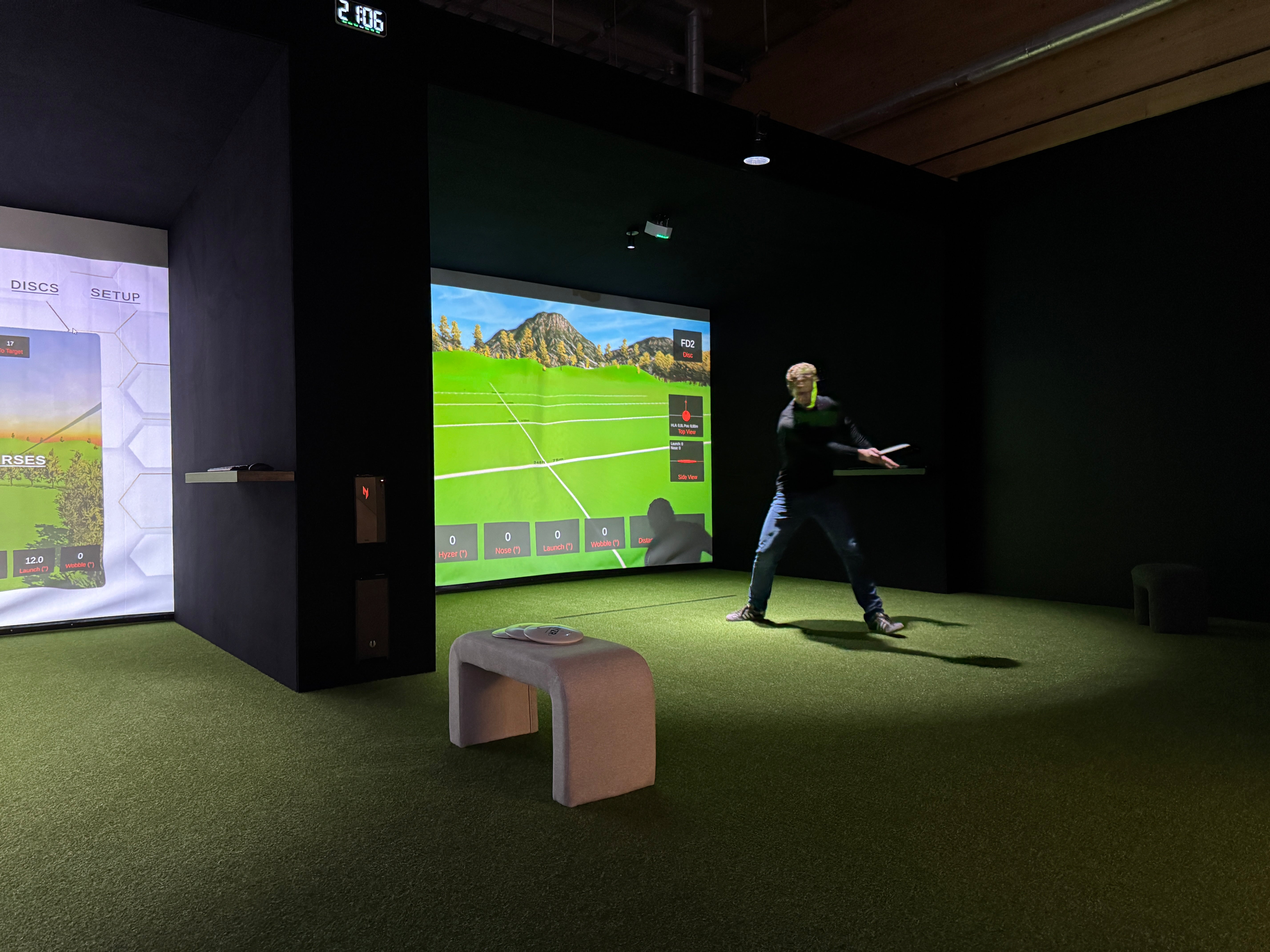
The biggest advantage of an enclosure is the visual result. By adding dark walls and a roof around the screen, it creates contrast that makes the image pop and the simulator feel far more immersive.
It also adds protection by helping contain missed throws, but the main reason to use an enclosure is to create a cleaner, more premium simulator experience.
With the right enclosure, screen, and projector, the setup feels much closer to a professional simulator rather than just a screen in a room.
4. Set Up Your Discs
One of the best things about HYZR system is that you can throw your own discs.
HYZR One works with any disc fitted with HYZR reflective markers. That means you do not need special electronic discs or expensive sensor discs. You use the discs you already like to throw, while HYZR tracks them in a way that makes realistic simulation possible.
Each HYZR One purchase includes 100 reflective markers and a marker placement tool, so you can prepare multiple discs right away. Each unit also includes one HYZR disc with the markers pre-attached.
Disc condition
For the best screen durability, use brand new discs. White or light-colored discs are often the best option, especially with a white impact screen. Used discs or darker premium plastics can leave marks on the screen over time.

5. Run HYZR Software
HYZR One comes with HYZR software included.
The software lets you practice disc golf with real throw data and play beautiful virtual courses such as Maple Hill. It turns HYZR One from a launch monitor into a complete disc golf simulator.
Whether you want to train seriously, repeat specific shots, or just enjoy a round indoors, HYZR software makes the experience feel fast, realistic, and built specifically for disc golf.

Why Build a Disc Golf Simulator?
A HYZR simulator gives you something outdoor disc golf never can: consistent, repeatable practice.
When you practice outside, every session depends on the weather. Wind changes the flight, light conditions change, and even a good field session involves a lot of time walking to collect discs instead of actually throwing. You also do not get detailed data from each throw.
With HYZR, you can throw again and again in stable conditions without wasting time picking up discs. You get real throw metrics, slow-motion video feedback, and a setup that makes it much easier to repeat the same shot and learn from every throw.
That is what makes progress faster. More repetitions, better feedback, and more consistent practice create a much better training environment than outdoor field work alone.
For home use
A home simulator lets you practice whenever you want. You get instant feedback, a realistic simulator experience, and a way to keep improving even when outdoor conditions are bad.
For retail stores
A HYZR simulator can bring more people into the store, make the space more memorable, and create new revenue through demos, coaching, events, and paid simulator time.
For commercial venues
HYZR also makes it possible to build a dedicated simulator business. Because the category is still so new, being the first high-quality simulator venue in your area can create a major first-mover advantage.
Ready to Build Your HYZR Simulator?
Whether you are building a home setup, upgrading your store, or creating a commercial simulator venue, HYZR makes it possible.
The HYZR system is a complete disc golf simulator system built specifically for indoor disc golf. For larger or custom projects, we offer premium full-simulator packages. Commercial setups require a business license.
Tell us about your space, your goals, and the type of setup you want to build, and we will help you choose the right solution.
Contact us to start planning your HYZR simulator.